NAQUEL / PRODUCT GUIDE
Choose with
the details in view.
Compare the finish, explore the product gallery and confirm the exact kit for the model you choose.
Contact the team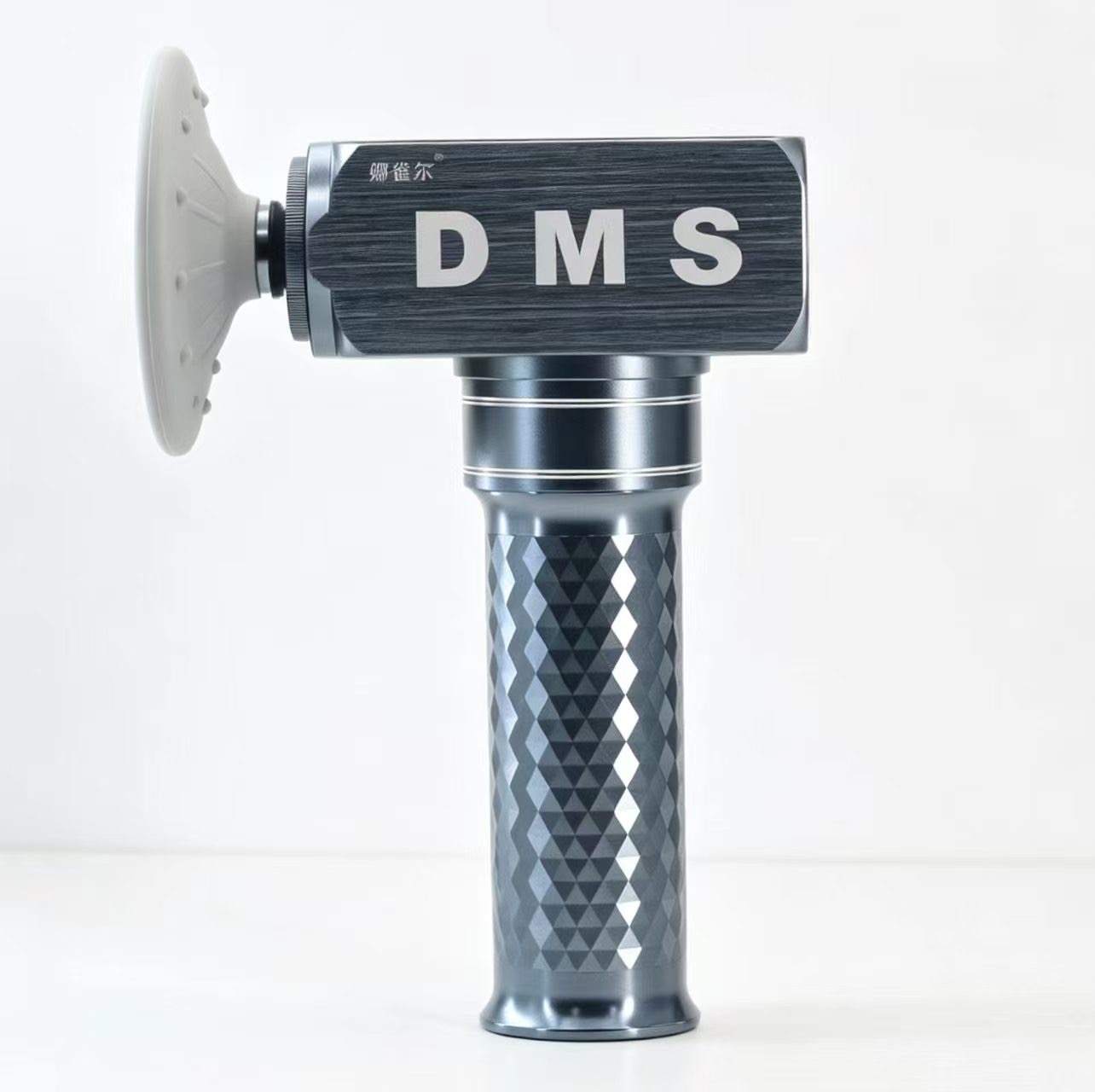
This is a selection guide. Use the instructions supplied with your exact model for device operation and care.
DEVICE CHOICE
Start with the model.
Choose the silver-black DMS Titanium, the gold-tone long-format DMS Copper or the sage-green DMS wooden-case kit. Each product page shows its current USD price and product photographs. The homepage comparison brings the available devices into one view.
Before ordering, request the final specifications, compatibility and included accessory list for your selected model.
ATTACHMENT CHOICE
Look at the head shapes.
The photos show flat, rounded, narrow-tip and other contact profiles. Attachment shapes and the final contents of a kit may vary by model.
Send the team the device name and head style you want to confirm compatibility and included accessories. Follow the instructions supplied with the model when fitting or using an attachment.
- Shape
- Compare the contact profile in the product photos
- Compatibility
- Confirm against the exact device model
- Kit contents
- Ask the team to confirm the final included set
BEFORE ORDERING
Keep the important details together.
Confirm the model, included set, delivery destination, applicable support terms and any required product documents before purchasing.
For a wholesale or team project, include the estimated quantity and any branding or packaging requests in your enquiry so the team can review available options.
NAQUEL SUPPORT
Find your finish.
Browse the collection, then ask the team about the specifications that matter to you.
SHOP DMS